What is a subsite?
A subsite acts as related site to the main site.

Integration with Google Analytics, Youtube, social media, Mailchimp, and more.

A subsite acts as related site to the main site.
No, the person who creates the subsite itself will be the Site Owner and the only member of the site until they add more members.
No, it will be able to have any Site Visibility that it's set to.
1. Log into your main site
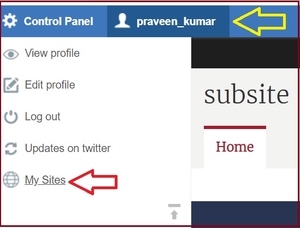
2. Navigate to your Username on the top left of the webpage (next to Control Panel) and click on My Sites.
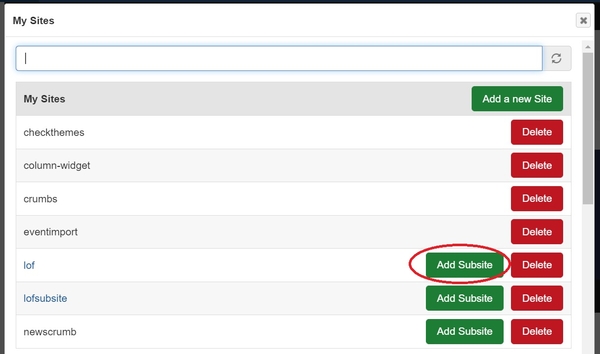
2. Select the "Add Subsite" link of any site you want to create a subsite to. NOTE: You must be an Administrator or Site Owner of the main site to do this.
3. Select the type of site, choose the site name and click Next.
4. Choose the Site Starter options and click Next.
5. Select the Theme and finally click on Finish button and then click "Take me to my site".